GATE Framework
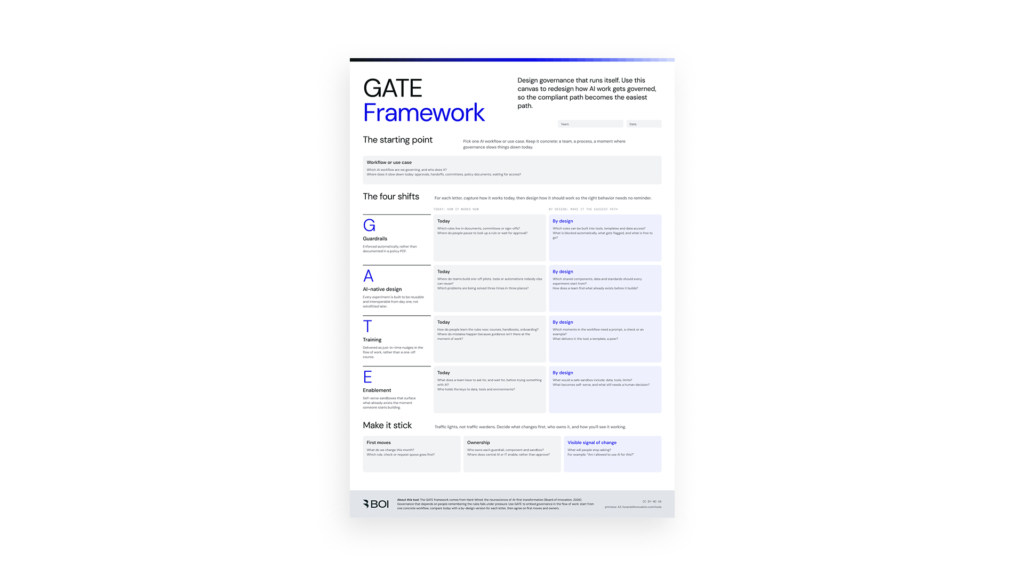
What is this for?
Most AI programmes stall between the pilot and the everyday. People attend the training, nod at the business case, then go back to the routine they know, because the old way is still the default. Approvals, templates, handoffs and permissions all point backwards.
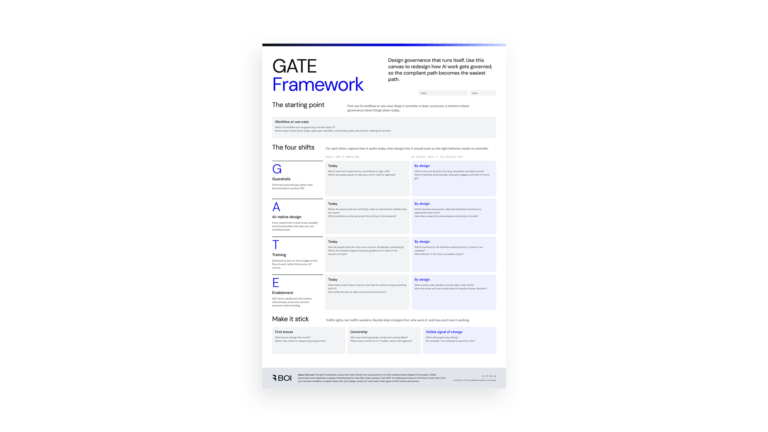
The GATE canvas turns that problem into a 90-minute working session. You pick one workflow, map what happens today, and redesign it across four levers so the new behaviour is built into the work itself. It shifts the question from “How do we get people to use AI?” to “What would make using AI the obvious choice?”
Who it’s for: transformation and change leads, AI programme owners, operations and function heads, and the people who run the workflow day to day. Bring the people who say no, too: legal, risk and IT.
Step-by-step guide
G
Guardrails, enforced automatically Build the rules into the system instead of relying on reviews and reminders. When compliance happens by default, people stop waiting for permission.
A
AI-native design, reusable from day one Design workflows, prompts and components to be reused and connected across teams, so every new use case starts further ahead than the last.
T
Training as just-in-time nudges Replace one-off courses with help that shows up in the flow of work, at the moment someone needs it.
E
Enablement through self-serve sandboxes Give people safe spaces to try, fail and learn on their own, so confidence grows through use rather than permission.
Get the tool
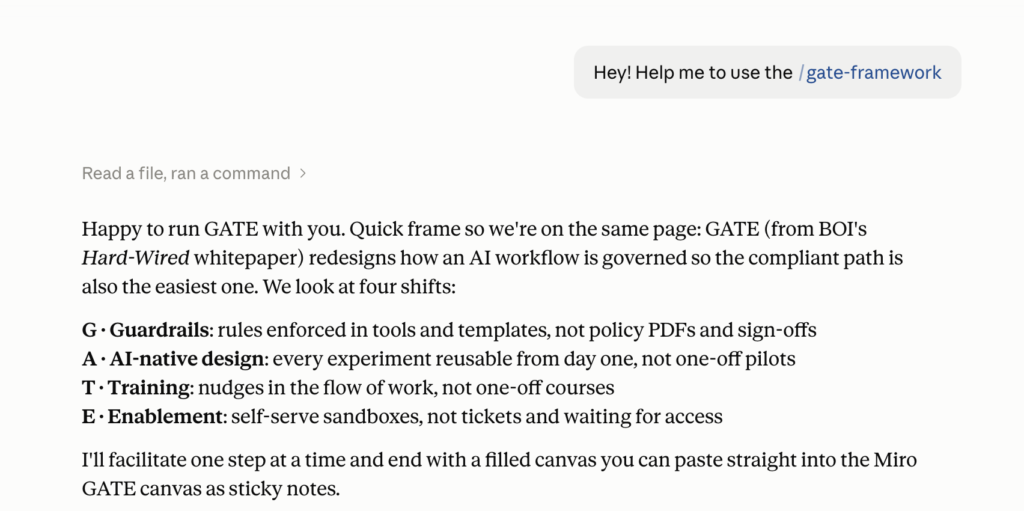
Run GATE with Claude
Don’t have a facilitator free this week? Let Claude run the session. The GATE Skill turns Claude into a GATE facilitator: it asks about your workflow, walks you through each letter, pushes back when an idea still relies on someone remembering, and hands you a completed canvas you can paste into Miro.
What the skill does
- Guides the session. Takes you through the same five steps as the workshop, one question at a time.
- Challenges the answers. Flags “by design” ideas that still depend on training or goodwill, and suggests defaults instead.
- Outputs the canvas. Returns the filled-in GATE canvas, first moves with owners, and the signal of change, ready for Miro or FigJam.
- Works solo or with a team. Prep alone before a workshop, or share your screen and fill it in live.
How to set it up (2 minutes)
- Download the tool. Inside you’ll find
gate-framework.zip. Keep it zipped, Claude uploads the .zip as is. - In Claude, open Settings, go to the Skills section and upload
gate-framework.zip. Skills are available on paid Claude plans. - Start a new chat and type: “Run a GATE session on our [workflow].”
Prompts to try
- “Run a GATE session on how our sales team writes proposals.”
- “Prep me for a GATE workshop with legal and IT next Tuesday.”
- “Here’s our current approval process for AI use cases. Where would GATE change the defaults?”