By Ruben Broekx, Engineering Lead at BOI
How many tools did your colleagues build with AI this month? If the answer is “no idea,” you have a governance problem. If it’s “close to zero,” your colleagues could be doing a lot more with AI. The answer to aim for is “a lot, and IT knows every one of them.” Getting there takes one build environment that IT owns and anyone can build in. At BOI, we set this up for our own strategists, designers, and marketers, and then with enterprise clients. The lessons below come from those rollouts.
Why does IT push back on tools built with AI?
IT pushes back because every new tool opens a new door. Each one brings its own logins, its own API keys, and another way into company data. Four questions come up first.
- Can a new tool break a system we run today?
- Where does company data go once it’s in a tool?
- Who can log in, and what happens when they leave?
- Who keeps track of the tools, the keys, and the bill?
Those are fair questions, and getting them right is IT’s whole job. The people who want to build are rarely the ones who decide. So answer IT’s concerns before they’re asked, and make IT the owner of the setup from day one.
Why don’t low-code tools or open vibe coding solve this?
Each one gives up half. Low-code gives IT control, but people can only connect blocks someone else made for them. Vibe coding means building software by describing what you want to an AI agent, so people can build anything. It also leaves every builder with their own logins, their own keys, and their own way into company data, and nobody keeps track.
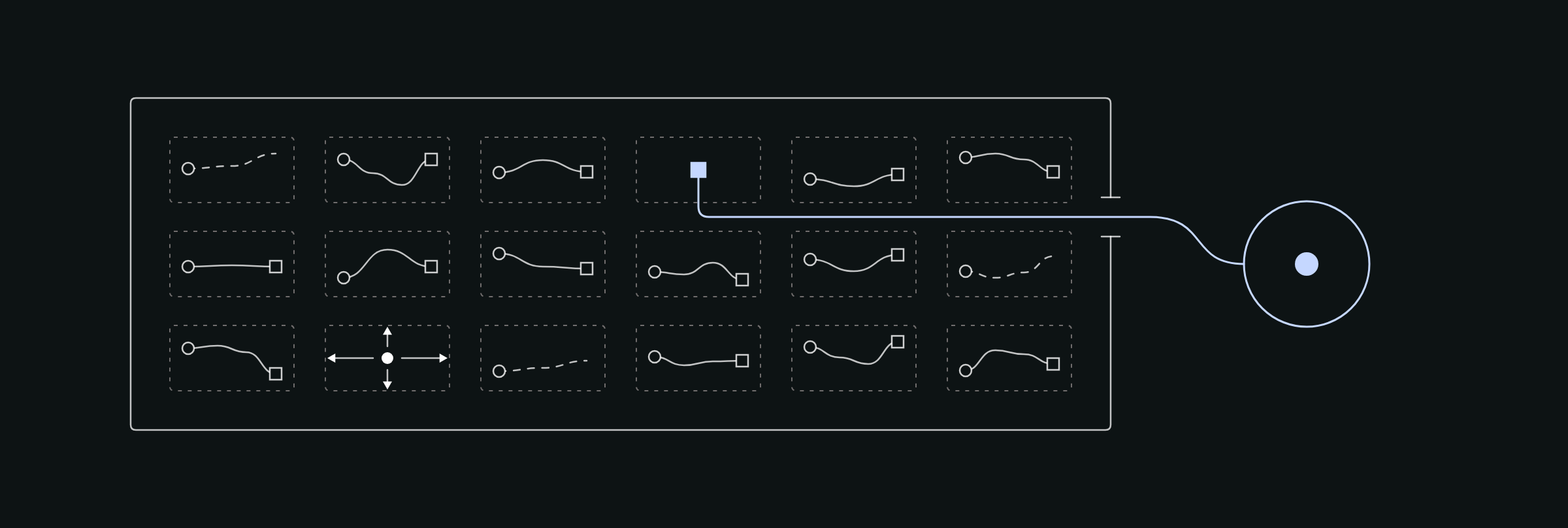
Governance should not mean restriction. The setup that works is free on the inside and governed at the edges.
What should IT own, so everyone else can build freely?
IT sets six things once, for every project.
- Identity and access. Builders and users sign in with their company account. When someone leaves, their access ends everywhere at once.
- Where projects run. Everything runs inside your own cloud. Each project gets its own database, hosting, and identity, so a mistake stops at its own walls.
- Data connections. IT decides which sources a project may reach, one project at a time.
- AI models. Builders work from a short approved list. They never pick a provider or create an account.
- AI spend. Every key has a hard cap, with an alert before it’s reached. A limit that only lives in someone’s head turns into a bill of thousands the day a key leaks.
- The path to production. There is one gate, and IT holds it.
Teams decide everything else, from what to build and who it’s for to when to stop. A simple test for the IT list is this. If a mistake would hurt someone other than the builder, IT governs it.
Your security team sets the bar. The setup gives them one place to enforce it.
How do you stop people from working around the setup?
Make the governed way the fastest way. If the official route is slower than a personal account, people route around it. So a builder names the project and says what it should do. The code, the database, the hosting, and the login appear on their own. Nobody files a ticket, and nobody picks a hosting plan.
The rules ship inside every project too, as instructions for the AI assistant. They cover how you build, which models to use, and how to handle data. The builder doesn’t need to know them, because the assistant reads them every time. A policy in a document gets skipped. A rule inside the project gets followed.
Who reviews what a non-engineer builds?
Experiments run free in a sandbox, and IT reviews everything that goes live. Teams set the speed in the sandbox. It’s cheap to start and cheap to stop, and most experiments stay there. That’s fine. When colleagues start to rely on a tool, its owner asks to promote it. IT then reviews the code, the data it touches, and who has access.
Keep the heavy parts for that gate. One client asked us to add monitoring and a chat-app integration to every new project by default. We advised against it; both add nothing to an experiment, and both matter a lot to IT. Tie them to the move to production, and experiments stay light while production stays clean.
What caught us off guard in real rollouts?
Small defaults did, more than the big design choices. Four lessons stuck.
- Cloud defaults assume a few big systems. This way of working creates many small ones. Our projects shared one cloud identity, it hit a cap of 20 credentials, and deploys stopped. Give every project its own identity.
- Defaults made for demos break with the first real team. A built-in email service allowed two sign-up emails an hour. The third colleague got stuck.
- Some switches only IT can flip. Publishing a tool into the company chat app needed an admin to switch it on, once. List those one-time decisions at kickoff.
- Access takes longer than building. The build goes quickly, and waiting for permissions is the slow part. Request them on day one.
Where do you start?
Start by changing the ask. Today every new tool needs its own review, and IT’s backlog is already full. Ask IT to review one thing, the environment. Once it’s approved, the tools built inside it don’t queue. Then take three steps in the next 30 days.
- Count. Ask the opening question inside your company. List what people built, and what they wanted to build and couldn’t. The second list is your business case.
- Sit down with IT. Walk through the four concerns and agree on what gets governed centrally.
- Run a pilot. One sandbox, one team, one real use case. Pick a team that already has ideas waiting.
On November 19, I walk through this setup in a free webinar, with time for your questions.